

Remote work solved a lot of problems. Long commutes disappeared, hiring became more global, and flexible schedules became normal for millions of people.
But it also quietly killed something else: casual office interaction.
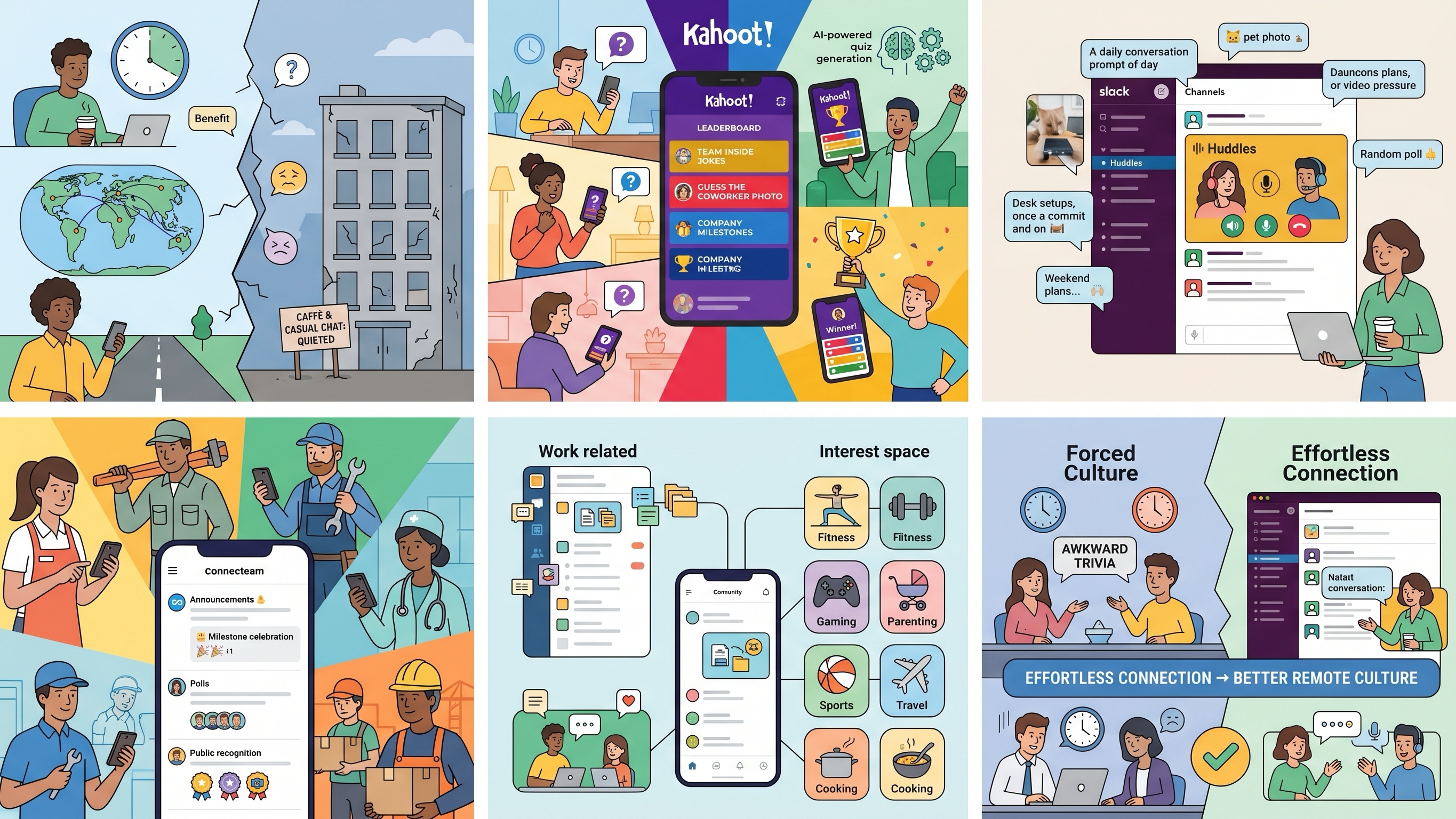
There is no digital replacement for bumping into a coworker in the hallway, grabbing coffee after a stressful meeting, or joking around while waiting for a presentation to start. Most companies tried to recreate that energy through awkward Zoom icebreakers or mandatory “fun” meetings — and most employees immediately dreaded them.
The problem is not that remote teams dislike social interaction. The problem is friction.
If team bonding feels artificial, people disengage instantly. The best remote culture tools are the ones that lower the effort required to participate and naturally fit into the apps employees already use every day.
To find the tools that actually help remote teams feel more connected, we tested several Android-compatible collaboration and engagement platforms currently available on the Google Play Store. We focused on a few practical questions:
Do employees actually want to use the app?
Does it encourage natural interaction instead of forced participation?
Does it work well for mobile-first or deskless teams?
Can it scale beyond one awkward virtual trivia session?
Here are the four apps that stood out.
Kahoot! is still widely associated with classrooms, but it has quietly become one of the most effective tools for injecting energy into remote meetings.
And honestly, it works for one simple reason: it turns passive meetings into competitions.
During testing, Kahoot! consistently broke through the usual remote-meeting fatigue faster than almost anything else we tried.
Instead of running generic trivia, we built short quizzes around:
Team inside jokes
“Guess the coworker” childhood photos
Company milestones
Pop culture debates
Remote-work habits
The app transforms phones into live game controllers, and the real-time leaderboard immediately changes the mood of a meeting. Even quieter employees started participating once the competitive element kicked in.
Kahoot!’s AI quiz-generation tools also save a surprising amount of prep time. Managers can generate rough quiz structures quickly instead of manually building every question from scratch.
That said, Kahoot! works best as an event tool rather than a daily culture platform. It is excellent for onboarding sessions, monthly meetings, or virtual team celebrations — not ongoing communication.
High-energy group engagement
Extremely easy for non-technical teams
Great for onboarding and company events
AI quiz tools reduce prep time
Requires stable internet for smooth gameplay
Free tier is somewhat limited
Not designed for long-term collaboration
Free basic plan available. Paid business plans vary depending on team size and feature access.
Most companies already use Slack for communication, but many underestimate how effective it can be for team culture when used properly.
The biggest advantage is simple: employees are already there.
During testing, the strongest team-building moments rarely came from scheduled events. They came from spontaneous interaction.
Slack’s casual “Huddles” feature worked particularly well because it removes the pressure of formal meetings. Instead of scheduling a video call, coworkers can jump into lightweight audio conversations instantly — much closer to walking over to someone’s desk.
We also found that automated social channels worked surprisingly well. Simple integrations that posted:
Daily conversation prompts
Pet photos
Desk setups
Weekend plans
Random polls
generated more consistent engagement than forced company-wide activities.
Slack succeeds because it blends social interaction into the normal workflow instead of separating “culture time” from “work time.”
However, Slack only works well culturally if channels are organized carefully. Without moderation, important conversations disappear quickly into notification chaos.
Zero onboarding friction for existing teams
Excellent for spontaneous conversations
Huge integration ecosystem
Strong mobile experience
Channels can become overwhelming quickly
Some collaboration tools require paid plans
Notifications can contribute to burnout if unmanaged
Free tier available with limited message history. Paid plans start around $7–$9 per user/month depending on billing structure.
Many remote-culture tools are built almost entirely around office workers sitting at laptops all day.
Connecteam feels completely different because it was designed for deskless teams first.
That includes:
Retail staff
Field technicians
Restaurant teams
Healthcare workers
Logistics employees
Construction crews
Connecteam impressed us most with its mobile-first communication system.
Instead of trying to force frontline employees into complicated collaboration software, the app combines scheduling, updates, recognition tools, and team communication into one central feed that feels more like a private social network.
Managers can post announcements, celebrate milestones, run polls, or recognize employees publicly with badges and shout-outs.
During testing, this mattered more than expected. Deskless employees are often excluded from company culture because they are not constantly checking email or sitting inside Slack all day. Connecteam closes that gap effectively.
The app can feel slightly overwhelming at first because it includes scheduling, task management, GPS tracking, forms, and HR features alongside the social tools. But for operational teams, having everything in one place is also part of the appeal.
Excellent for mobile and deskless workers
Strong employee-recognition features
Combines operations and communication tools
Generous free plan for small teams
Large feature set creates a learning curve
GPS-heavy usage may affect battery life
Less useful for traditional office-only teams
Free for small teams up to 10 users. Paid plans start around $29/month for larger organizations.
Eko takes a more social-network-style approach to remote culture building.
Instead of centering everything around productivity, the platform tries to recreate the feeling of separate social spaces inside a company.
What stood out during testing was how naturally Eko separated casual interaction from formal work communication.
That sounds minor, but it matters psychologically.
Many employees avoid social channels inside work apps because they do not want to clutter project discussions or appear distracted during work hours. Eko solves that by creating dedicated spaces for interest groups, casual conversations, and media sharing.
Teams can build channels around:
Fitness
Gaming
Parenting
Sports
Travel
Cooking
and interact without interfering with operational workflows.
The mobile app also feels cleaner and more social-focused than traditional enterprise collaboration software.
That said, Eko is still smaller than Slack in terms of integrations and third-party ecosystem support. For companies deeply tied into enterprise workflows, that limitation may matter.
Strong separation between work and social interaction
Clean mobile-friendly interface
Good for interest-based communities
Encourages organic conversation
Smaller integration ecosystem
Less recognizable than major platforms
Better for mid-sized teams than huge enterprises
Free version available. Premium pricing varies depending on organization size and deployment needs.
Every company approaches remote culture differently, so there is no single perfect platform for every team.
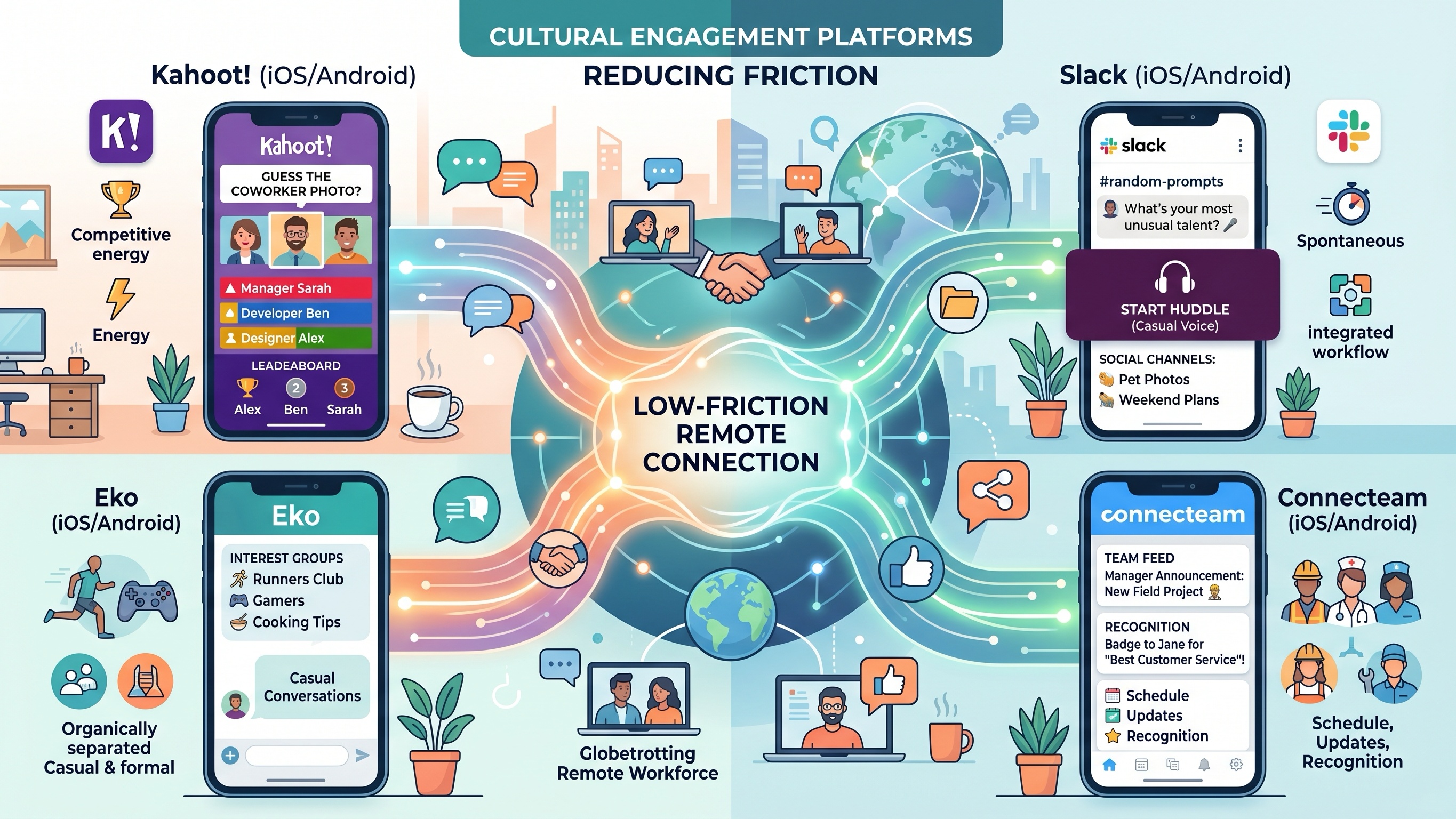
For high-energy virtual events and onboarding sessions, Kahoot! remains one of the easiest ways to get people actively participating instead of silently watching another Zoom presentation.
For deskless and frontline teams, Connecteam solves a real problem that many office-focused collaboration apps completely ignore.
And for organizations that want separate social spaces outside traditional work channels, Eko offers a cleaner and more community-focused experience.
But overall, Slack still feels like the strongest long-term foundation for remote culture building.
Not because it has the flashiest features — but because it reduces friction better than almost anything else.
Employees already use it daily. Conversations happen naturally. Quick audio chats replace formal meetings. Social interaction becomes part of the workflow instead of another mandatory corporate activity added to the calendar.
That distinction matters.
The best remote team-building tools are not the ones trying hardest to force culture. They are the ones that make connection feel effortless enough to happen on its own.