

At some point, every reunion organizer hits the same wall: fifty people, twelve opinions, four generations, and absolutely nobody responding in the same place. Half the family replies in a group text. Your aunt emails separately. One cousin answers with a Facebook reaction. Grandpa leaves a voicemail. Meanwhile, nobody remembers who volunteered to bring chairs.
The real problem isn’t sending invitations. It’s managing chaos.

Most event apps weren’t built for family reunions. They assume everyone checks email, understands calendar invites, and willingly downloads yet another app. Real families don’t work like that. Especially big American families spread across states, age groups, and varying levels of tech literacy.
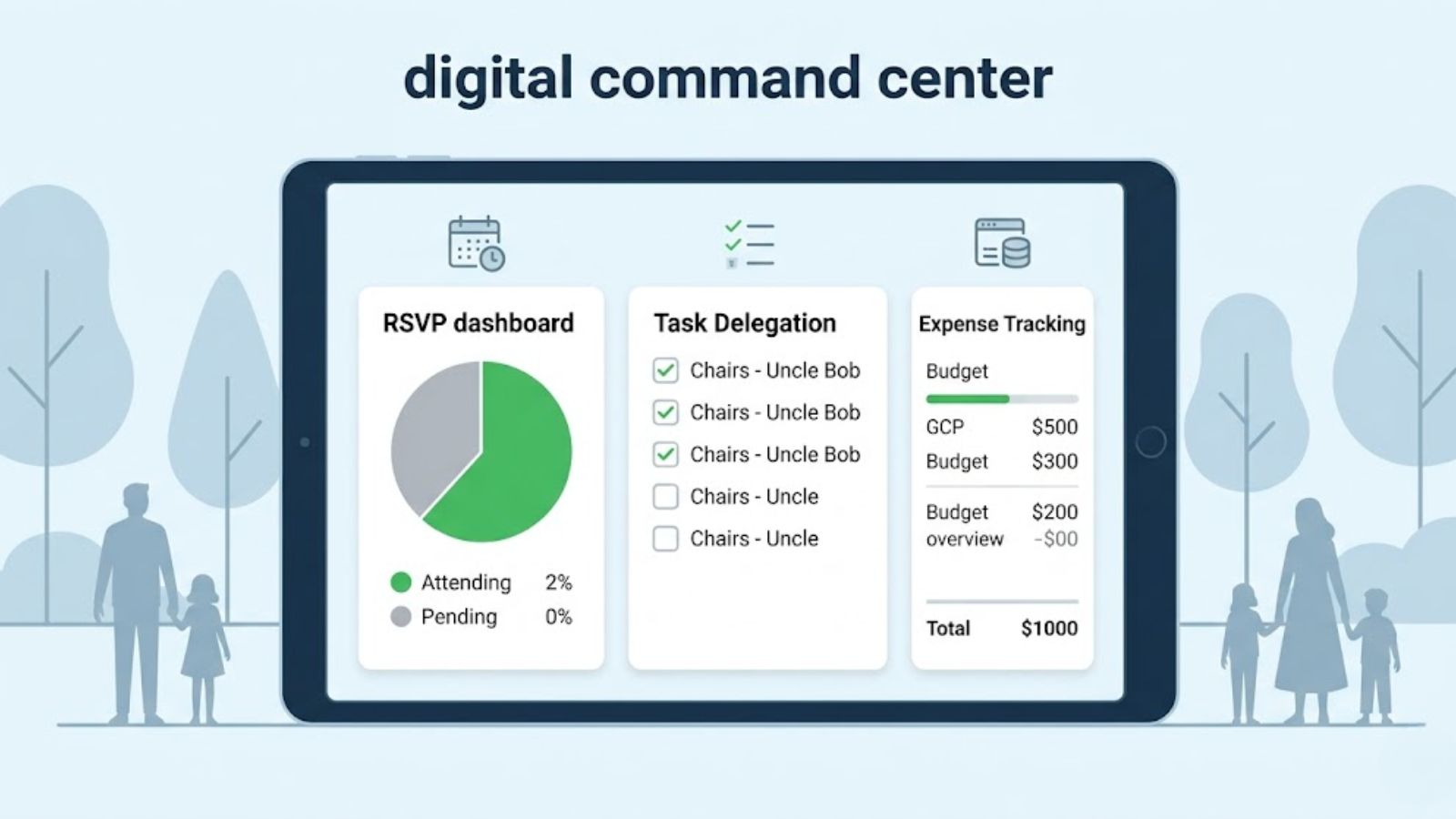
What you actually need is a digital command center — something that can handle RSVPs, scheduling, task delegation, and communication without turning into another overwhelming notification dump.
After testing a long list of reunion-planning tools across iOS, Android, and web platforms, a few apps stood out for solving real-world family problems instead of adding more friction.
What is the core feature that actually works?
Evite is a household name in American event planning, but its recent feature updates make it an absolute powerhouse for sprawling family reunions. The core feature that works with flawless, predictable precision is its Household Grouping and Multi-Layered RSVP Tracker. Instead of forcing you to hunt down individual phone numbers for thirty distant cousins, Evite allows you to send a single digital invitation to "The Miller Family" while setting the exact number of allowed plus-ones. When the head of that household opens the link, they can RSVP for all four family members individually, input specific dietary restrictions, and choose their weekend meal preferences in one sitting. Furthermore, the activity-specific feed acts as a private family message board, letting aunts and uncles post nostalgia-inducing throwback photos directly inside the invitation timeline to build excitement months before the event begins.
What is the pricing plan?
Evite operates on a freemium model. The Free tier allows you to send unlimited standard invitations to up to 750 guests, but your family will be subjected to heavy third-party advertisements on the RSVP page. To eliminate ads, unlock custom design templates, and gain access to advanced tracking metrics, you must upgrade to Evite Premium, which utilizes a per-event pricing model starting at $17.99 for up to 15 guests, scaling up to approximately $89.99 for massive gatherings of up to 750 people.
Pros
Legendary brand recognition means elderly relatives will actually recognize the text link, drastically reducing initial friction and tech anxiety.
Excellent household aggregation logic allows one family representative to handle data entry for their entire immediate household.
Cons
The free version is cluttered with highly intrusive, flashing commercial advertisements that heavily degrade the visual experience for guests.
Advanced personalization and custom data collection forms (like collecting t-shirt sizes or specific cabin preferences) are strictly locked behind the Premium paywall.
Gathersly feels like the app someone built after surviving a stressful family reunion themselves.
Its standout feature is how seamlessly it combines RSVPs, task delegation, and expense tracking in one place. People can respond to invites without creating an account first — a massive win when dealing with less tech-savvy relatives.
Once everyone’s inside, the app becomes surprisingly powerful. You can assign tasks like “Bring folding tables,” “Pick up ice,” or “Reserve pavilion,” and family members can claim responsibilities directly inside the app. No more scrolling through buried text messages trying to remember who volunteered for what.
The built-in expense tracker is another lifesaver. Reunion costs have a sneaky way of becoming awkward. Someone pays for the rental house, someone else covers Costco runs, and eventually nobody remembers who still owes money. Gathersly handles that cleanly.
Pricing
Completely free for standard planning features, including polls, task lists, RSVPs, and expense tracking.
Pros
Arguably the best all-in-one coordination app for practical reunion logistics.
Expense tracking removes a lot of uncomfortable money conversations.
Recurring family groups make annual reunions much easier to organize.
Cons
No native photo-sharing system.
The interface can feel visually busy once multiple planning tools are active.
What’s the real value?
Before anyone books a venue or orders catering, there’s one brutal phase every reunion organizer faces: finding a date that doesn’t trigger civil war.
That’s where WhenAvailable shines.
This app focuses almost entirely on group scheduling, and honestly? That specialization works in its favor. Instead of throwing out one random date and hoping for the best, organizers can propose multiple options. Family members simply tap the times they’re available. No account required. No app download drama.
The app then generates a visual overlap chart that instantly shows which dates work best for the majority.
It sounds simple because it is simple. And that’s exactly why it works so well.
You can also attach custom questions alongside the scheduling poll — things like preferred locations, hotel needs, or meal preferences — which turns the scheduling phase into an early planning tool.
Pricing
The free version supports unlimited polls but caps guest participation at 20 people. Larger polls require either a one-time upgrade (around $10) or a premium subscription starting near $38 annually.
Pros
Extremely low friction for participants.
Perfect for solving the hardest early-stage reunion problem: scheduling.
Custom questions help gather useful planning data early.
Cons
Not a full reunion-planning platform.
No task lists, itinerary building, or expense management.
What makes it different?
RSVPify is less about “family bonding” and more about operational precision.
If your reunion involves hundreds of attendees, catered meals, matching shirts, multiple events, or hotel coordination, this app becomes incredibly valuable. It handles data collection better than almost anything else in this category.
You can organize guests by households, manage plus-ones, create separate RSVP flows for different events, and ask conditional questions during signup. Someone says yes to Saturday dinner? Great — now the app asks for meal preference automatically.
That level of structure matters when you’re coordinating a massive event and small mistakes become expensive.
Pricing
Free for up to 100 guests with RSVPify branding included. Paid plans removing branding start around $19.99 per month.
Pros
Fantastic for large-scale reunion logistics.
Household management is genuinely useful for extended families.
Handles detailed guest intake beautifully.
Cons
Minimal collaboration tools outside RSVP management.
The branded free version feels slightly corporate for intimate gatherings.
Why does this one surprise people?
Wanderlog wasn’t built specifically for reunions, but it turns out to be excellent when your event involves travel.
Its collaborative itinerary builder is the star here. Once reunion dates are locked in, family members can add activities, restaurants, lodging ideas, and sightseeing suggestions into a shared trip plan. Everything automatically appears on a map, which makes coordinating locations dramatically easier.
This becomes especially helpful for destination reunions. You can instantly see where relatives are staying, how far the lake house is from dinner reservations, or whether the planned BBQ spot is realistic for everyone driving in.
Instead of juggling spreadsheets and Google Maps links, the whole reunion schedule lives visually in one place.
Pricing
The free version is generous and includes collaborative itinerary building, maps, and basic expense tracking. Premium upgrades mainly add offline maps and advanced route optimization for about $39.99 per year.
Pros
Excellent for travel-heavy reunions.
Collaborative planning creates more shared involvement from family members.
Interactive maps reduce logistical confusion.
Cons
Full collaboration requires account creation.
RSVP management is fairly basic compared to dedicated event platforms.

The “best” reunion app really depends on what kind of disaster you’re trying to prevent.
If your biggest issue is communication chaos — endless texts, forgotten responsibilities, people not paying each other back — Gathersly is probably the strongest all-around choice. It turns reunion planning into something structured and collaborative instead of reactive.
If you’re managing a giant multi-branch family event with meal counts, sub-events, and detailed guest data, RSVPify is the heavyweight organizer you want running the backend.
And honestly, many families will end up combining tools. A scheduling app like WhenAvailable paired with a planning hub like Gathersly is a surprisingly effective combo.
Because at the end of the day, successful reunions aren’t really about apps. They’re about reducing enough logistical stress that people can actually enjoy being together once everyone finally arrives.